Poster Printing & Large Format Output
Price List by Paper Type
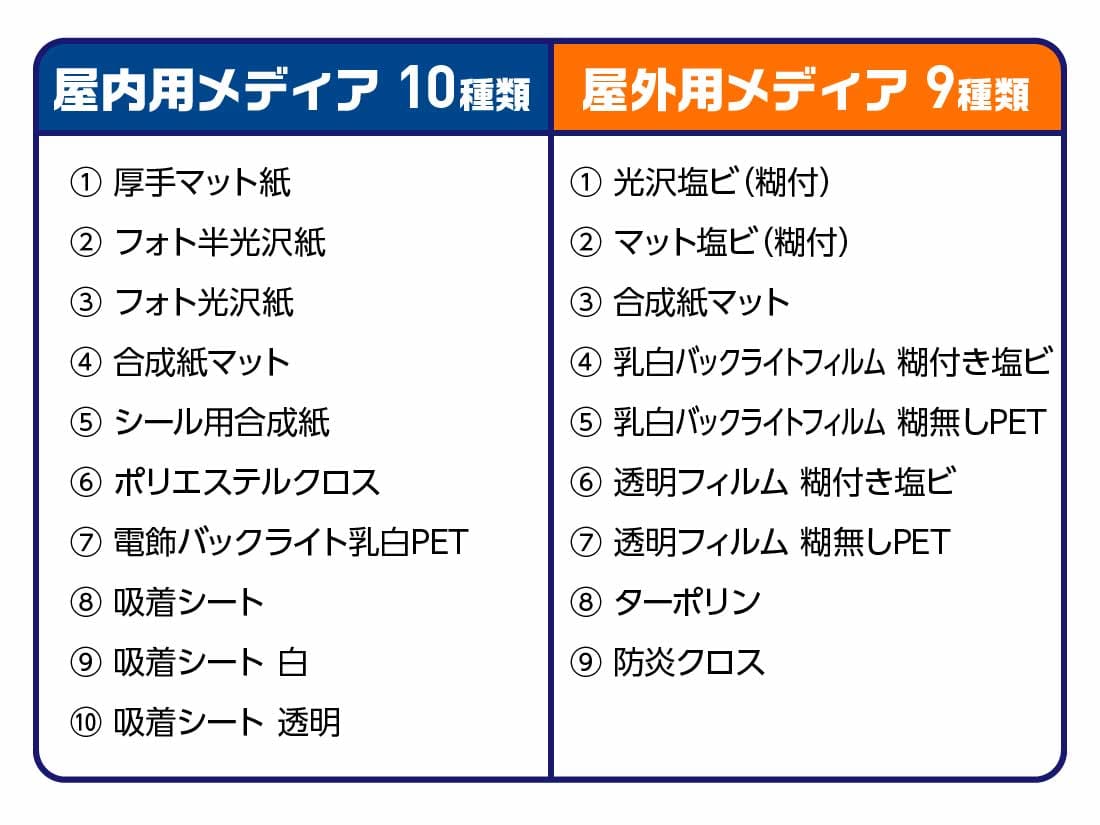
▼Click on the paper name to view the price list.
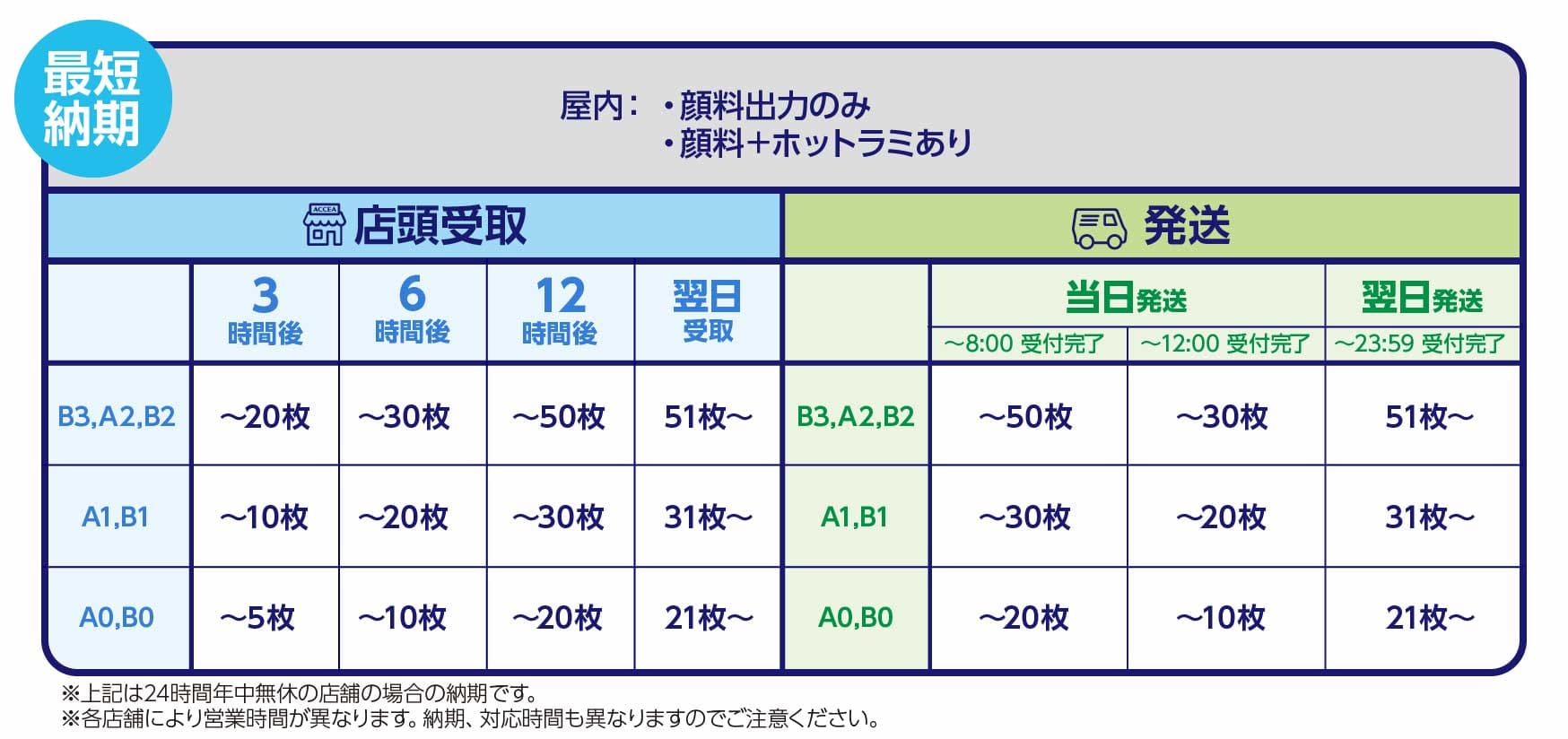
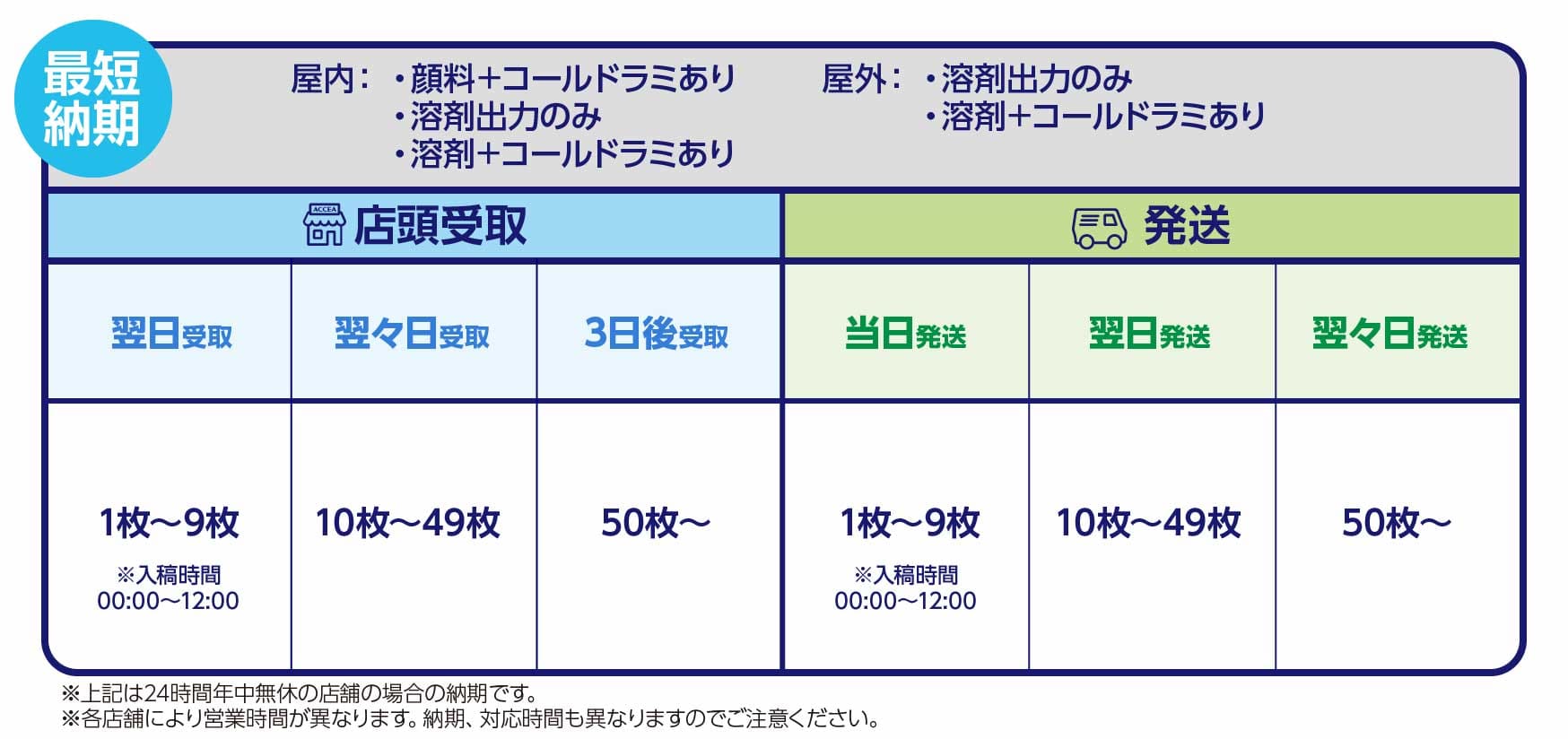
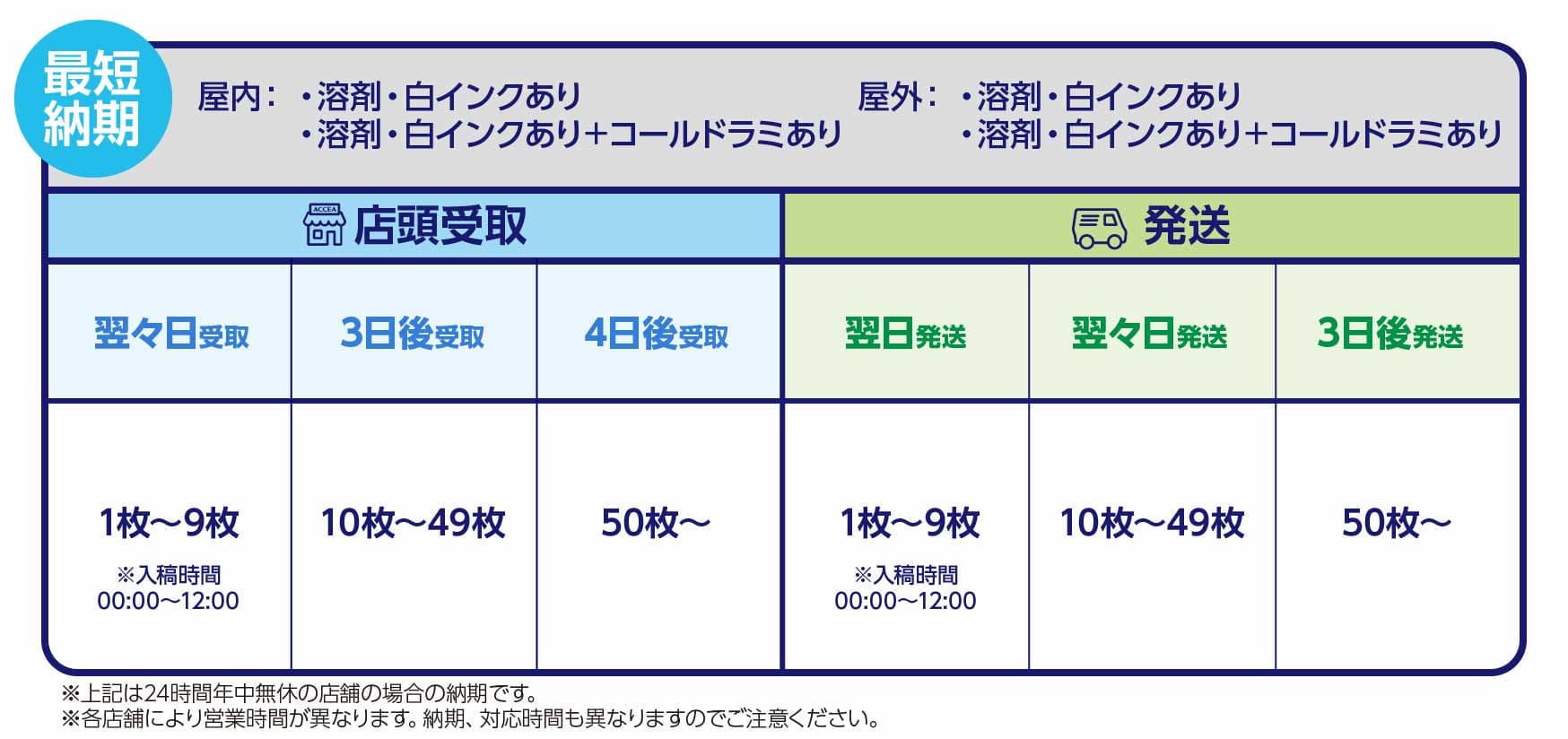
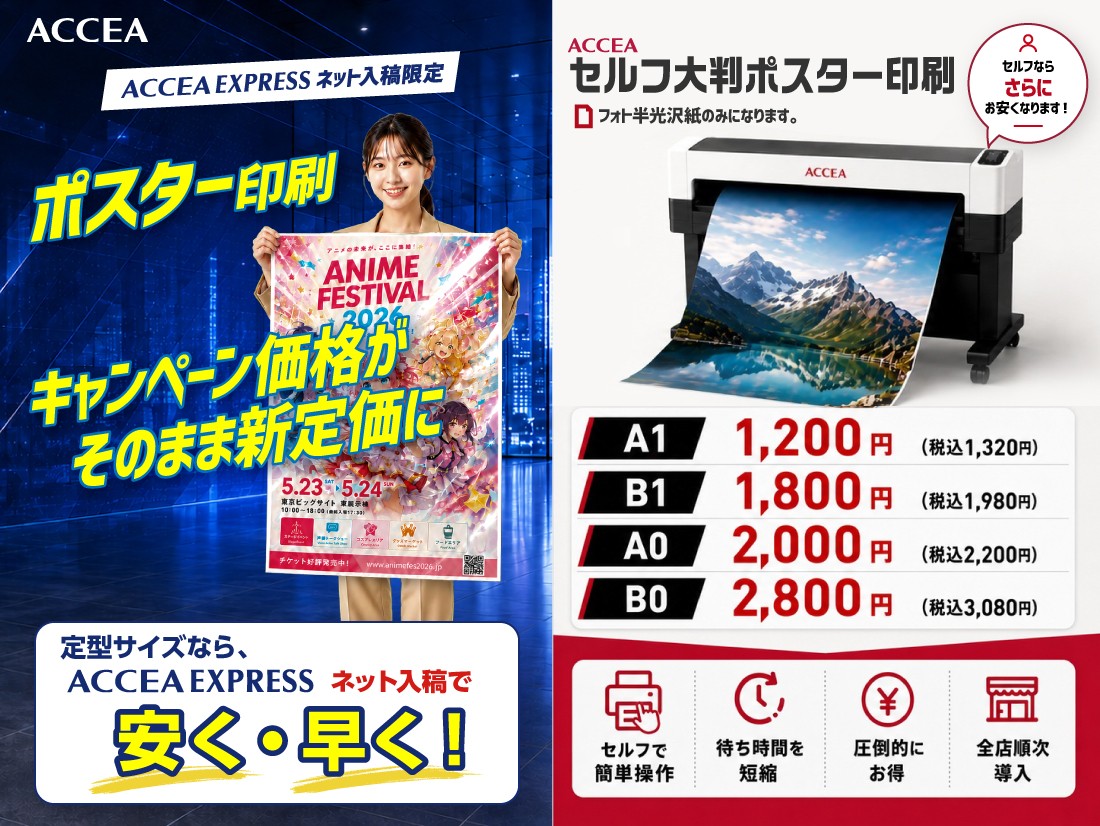
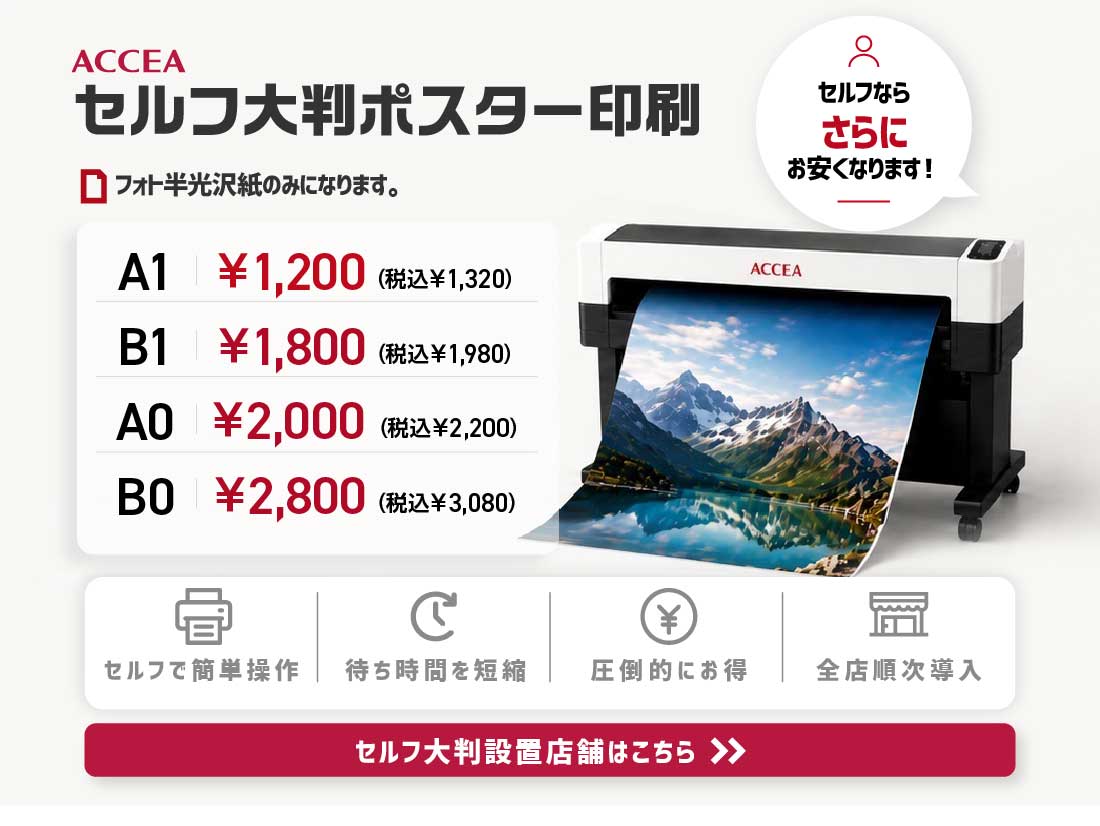
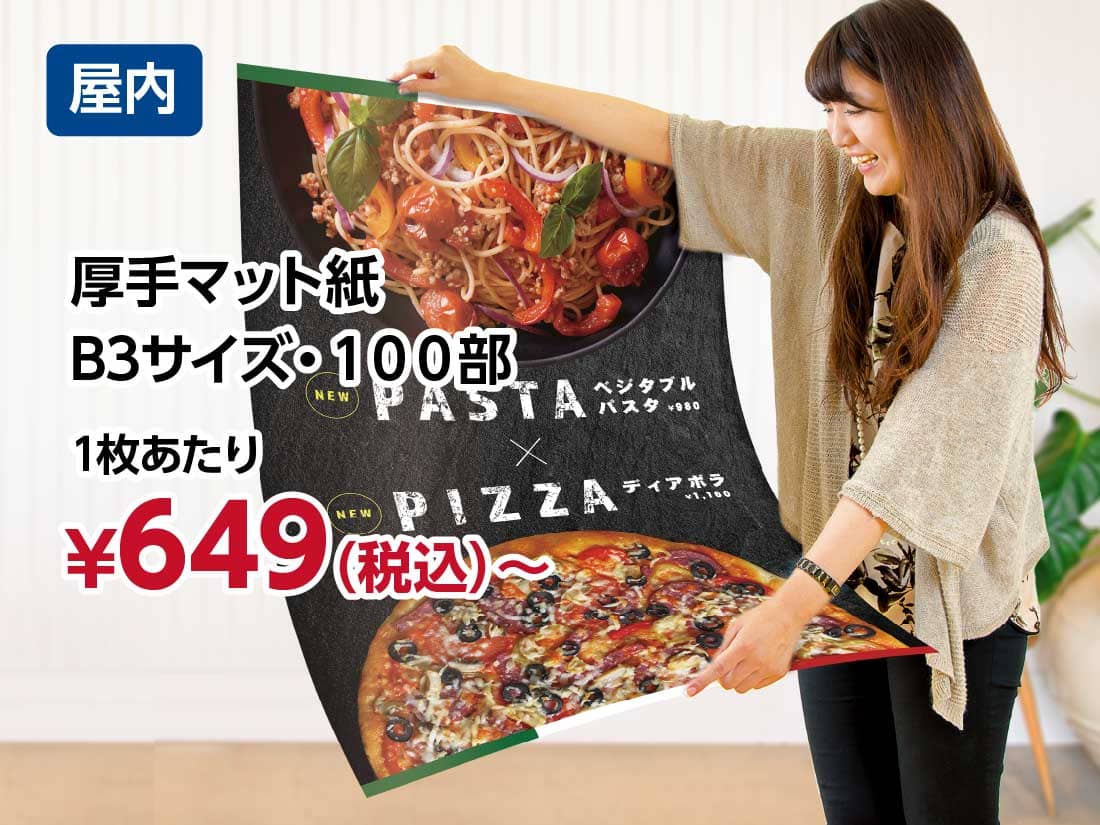
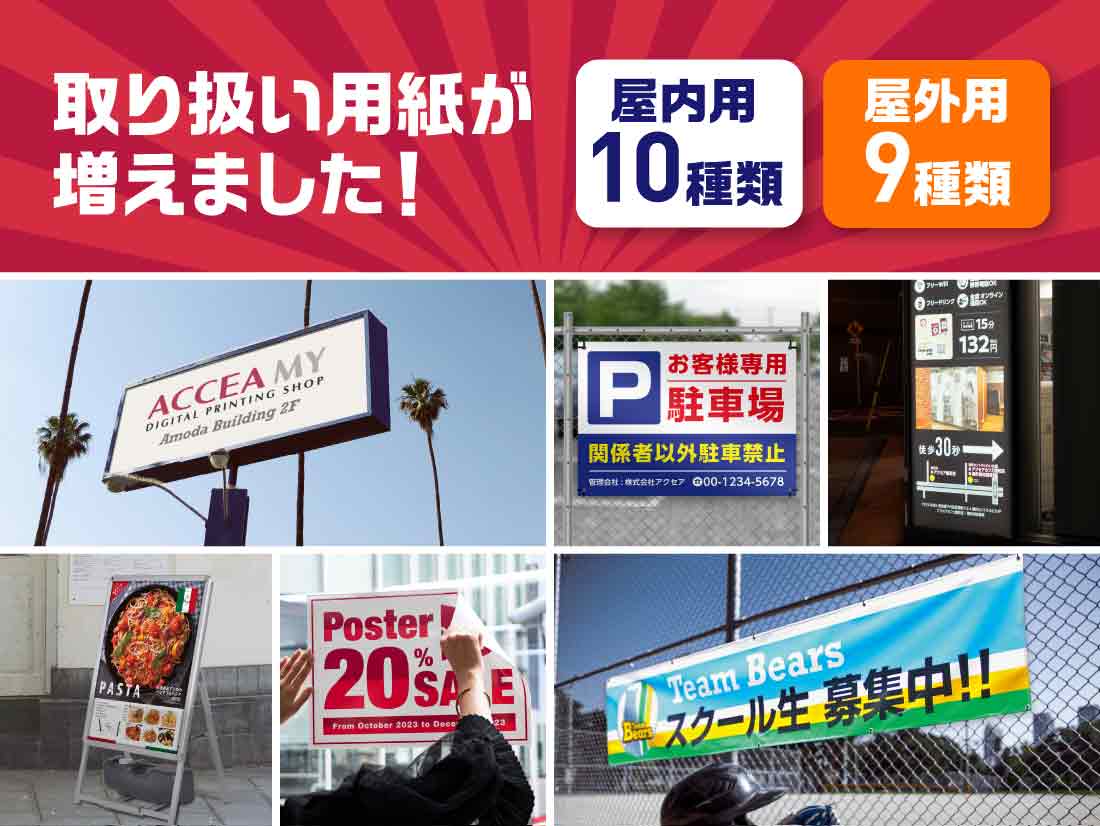
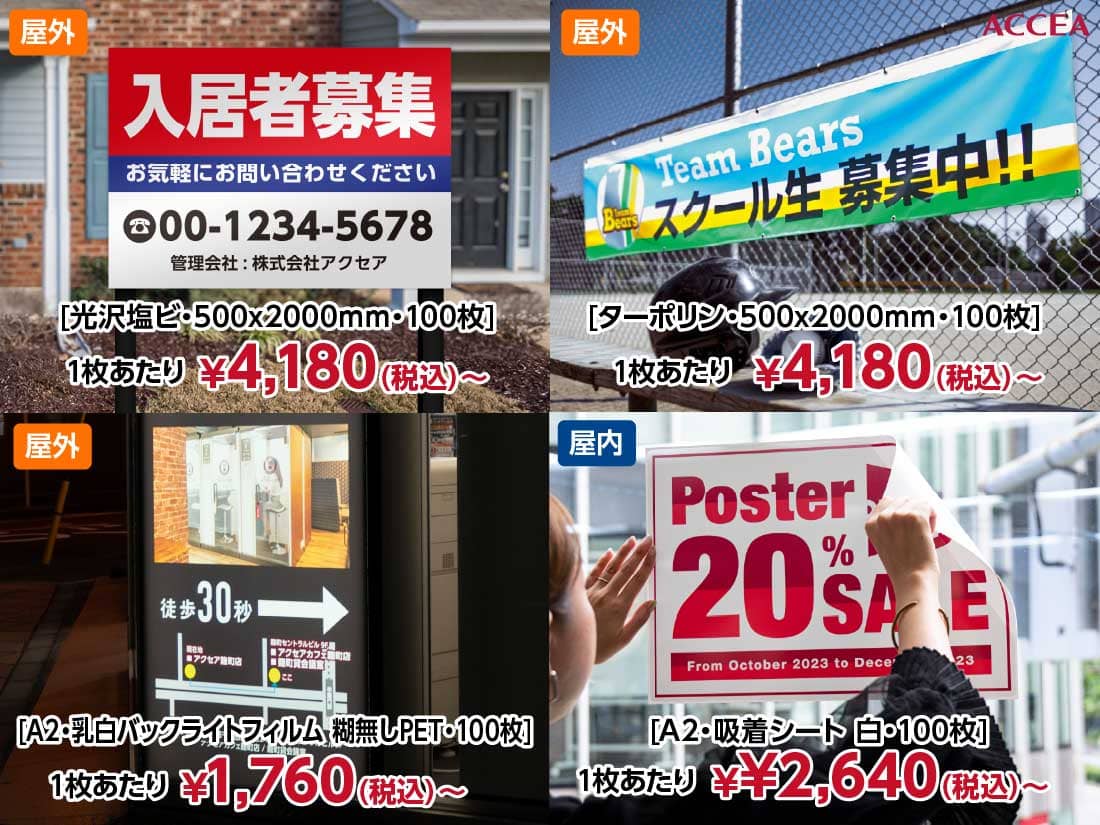
All poster printing and large format output at ACCEA uses on-demand printing. The advantages of on-demand printing include ultra-fast turnaround—even for large quantities—with same-day or next-day completion, immediate shipping, and in-store pickup. Ideal for restaurant menus, POPs, event/exhibition posters, conference posters, and A1/B1 poster printing.
Same-day poster printing and same-day pickup are available at ACCEA stores nationwide, including Shinjuku, Shibuya, and Ikebukuro. For large-volume flyers or booklets with fewer design types and flexible deadlines, offset printing may be more economical.
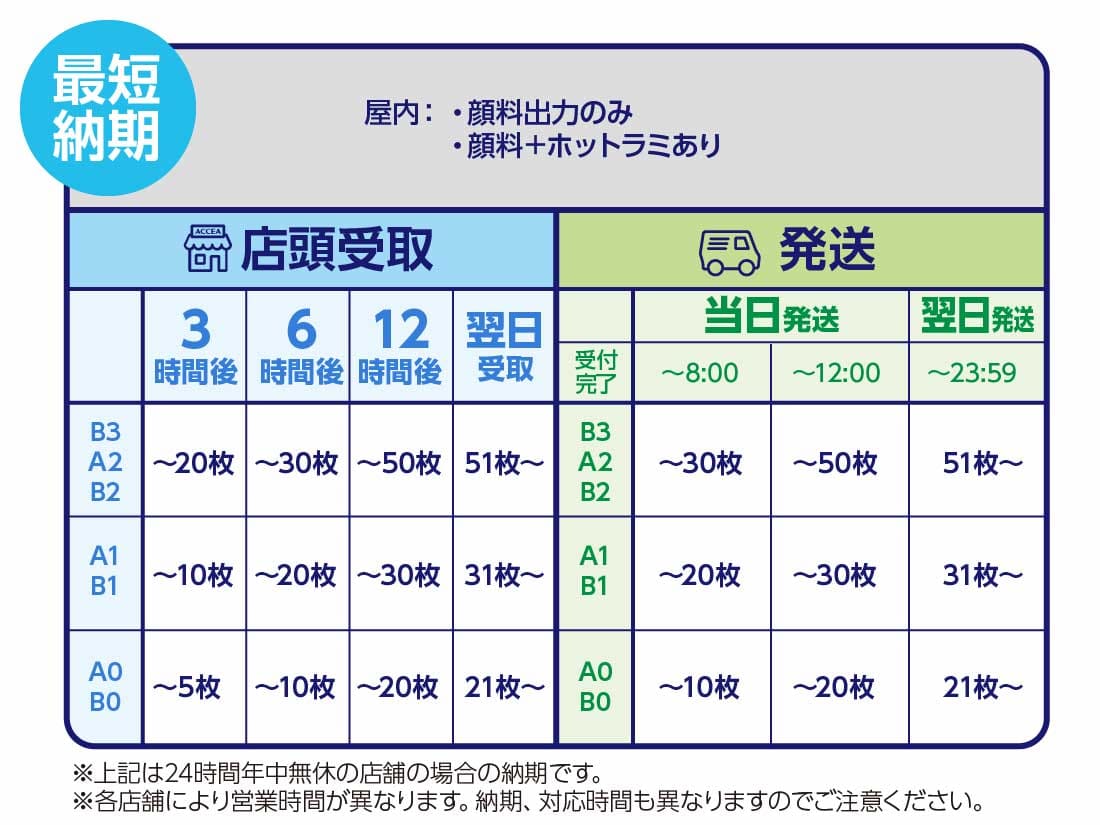
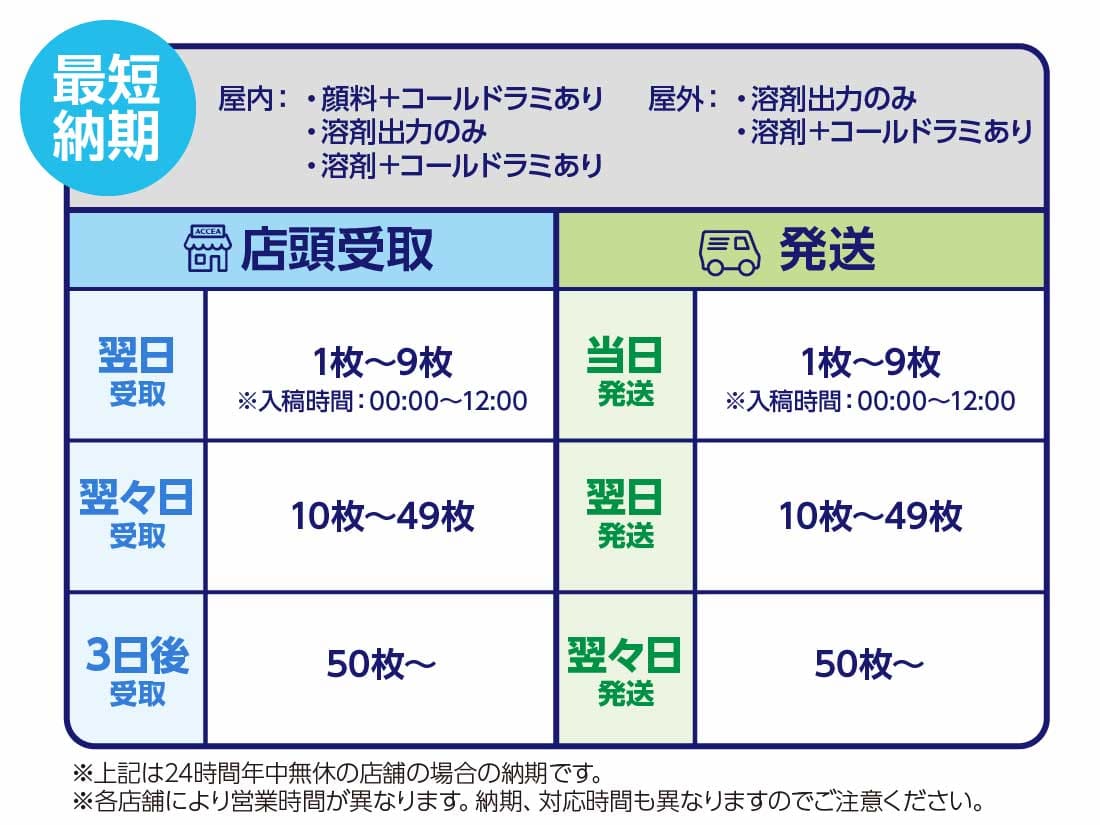
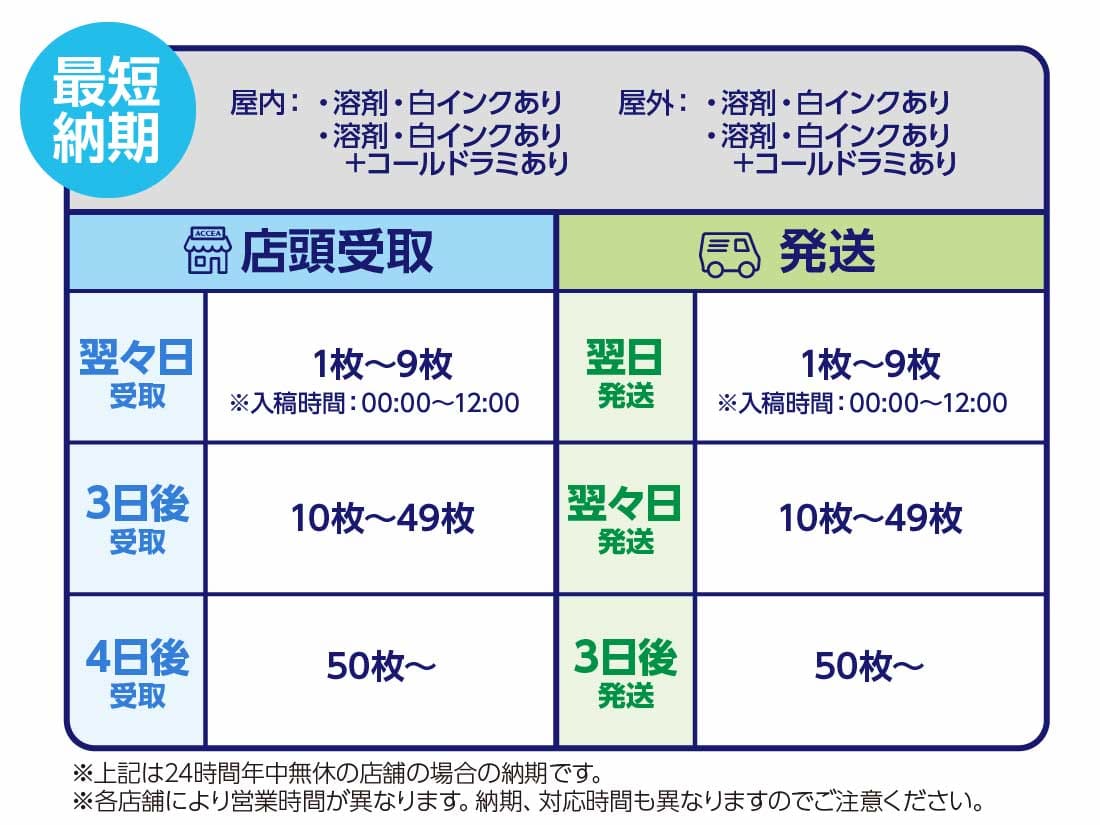
About Delivery Time
* No express fee will be charged, no matter how urgent the order.
* For specifications not listed in the price chart, please contact your nearest store directly.
→ Store Information Here
Please be sure to check the following before placing your order
- * For larger quantities, enter preferred delivery date in 'Other Requests'.
- * For 24hr stores open daily.
- * Please note that business hours and delivery times vary by store.
- * Please note that if you submit multiple types of products at the same time, delivery times may vary.
- * For in-store pickup, store hours vary by location. Please check the hours of your selected store before visiting.
You can check each store's current status from “Store Congestion Status”
- * If you order more than the above quantity, the earliest shipping will be the next day. Contact us if urgent.
Large Poster Template Download
- Size Chart: JIS Standard Dimensions
- * Compatible with Adobe Illustrator version 10 or higher
| Size | Short Side × Long Side (mm) | Download |
|---|---|---|
| A0 | 841×1189 |
A0 Template(Adobe Illustrator) A0 Template(Adobe Photoshop) |
| A1 | 594×841 |
A1 Template(Adobe Illustrator) A1 Template(Adobe Photoshop) |
| A2 | 420×594 |
A2 Template(Adobe Illustrator) A2 Template(Adobe Photoshop) |
| A3 | 297× 420 |
A3 Template(Adobe Illustrator) A3 Template(Adobe Photoshop) |
| Size | Short Side × Long Side (mm) | Download |
|---|---|---|
| B0 | 1030×1456 |
B0 Template(Adobe Illustrator) B0 Template(Adobe Photoshop) |
| B1 | 728×1030 |
B1 Template(Adobe Illustrator) B1 Template(Adobe Photoshop) |
| B2 | 515× 728 |
B2 Template(Adobe Illustrator) B2 Template(Adobe Photoshop) |
| B3 | 364× 515 |
B3 Template(Adobe Illustrator) B3 Template(Adobe Photoshop) |
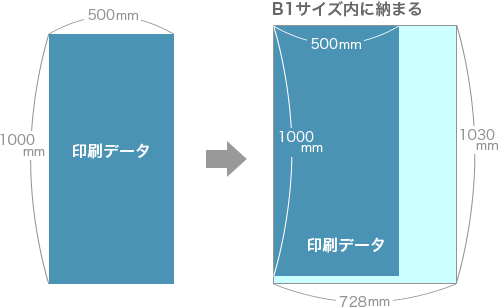
About Pricing for Irregular Sizes (Pricing Examples)
The price will be the same as the standard size that can accommodate the final trimmed irregular size.
(Cutting fee included)
(Example)
Custom Size ( 500mm × 1000mm )
→ Same price as B1 size (728mm × 1030mm)
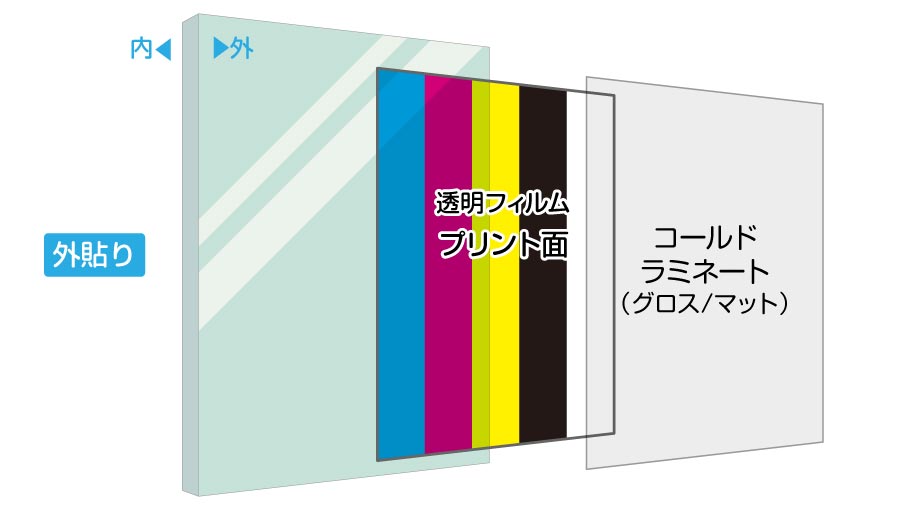
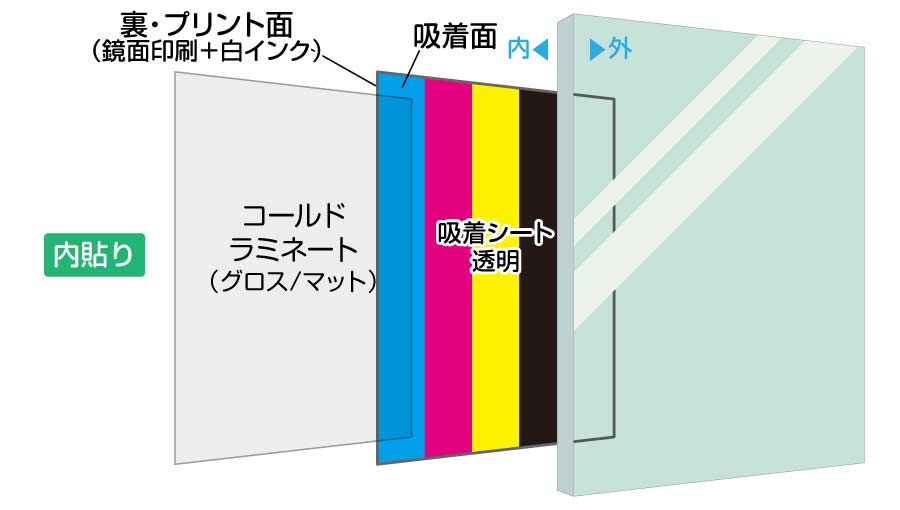
About Inside and Outside Application
[Outside Application]
Transparent film + printed side with cold lamination
[Inside Application]
Transparent gel poly (mirror printing + white ink) + printed side with cold lamination
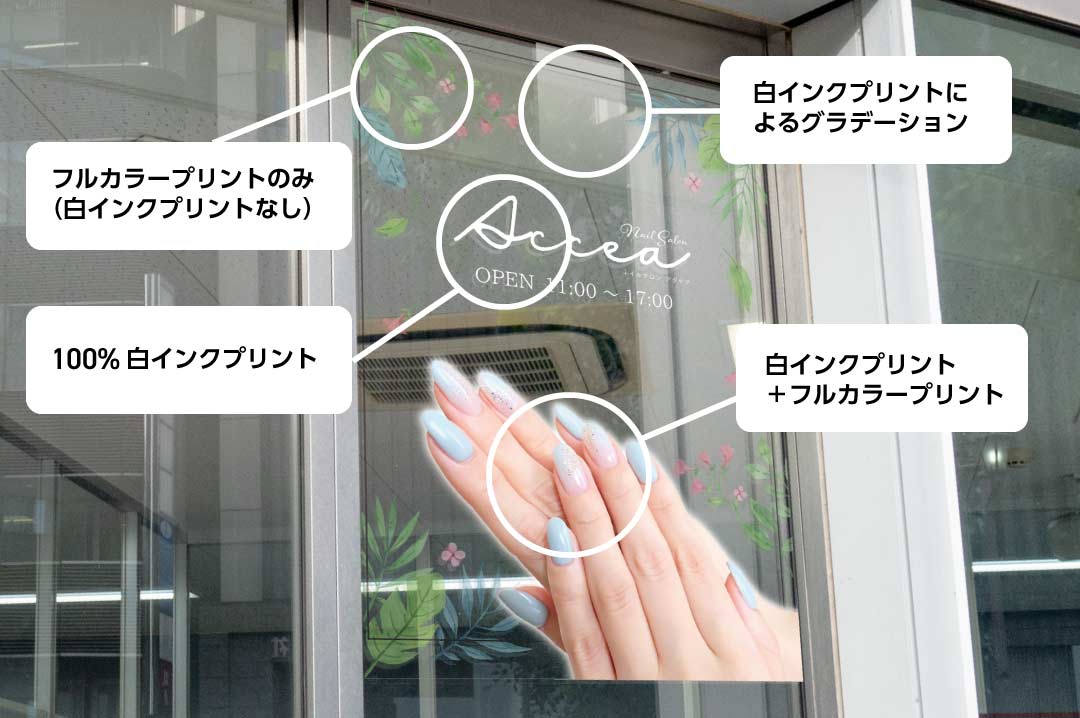
What is White Ink Printing?
White ink allows for true color reproduction without being affected by light or color, even on transparent media.
By layering white ink beneath the image, vivid color output can be achieved on transparent media without translucency.
It is also possible to print white ink only on transparent media.
White ink can also be used for the following applications:
◎ Stickers or labels with a transparent base and white in logos or illustrations
◎ Window signs for salons, restaurants, and other stores
[Related Services]
Q&A about Poster Printing (Large-Format Output)
-
About Data Submission
-
What file formats or applications are supported?
PDF format is recommended. We also support Adobe Illustrator/Photoshop files (AI, EPS, PSD, PDF, JPEG, TIFF).
Can I submit Office files such as Excel or Word for poster printing (large-format output)?
Office files are accepted; however, they are prone to issues such as font corruption or layout shifts. If you cannot convert to PDF, please be sure to send a printed sample. Please note that this may affect the delivery schedule.
What resolution is recommended?
We recommend approximately 150–200 dpi at actual print size.
Can I submit RGB image data?
Submission is possible, but ACCEA EXPRESS poster printing is output in CMYK, so especially vivid blues and reds may appear dull in the final print.
Can I enlarge a small file for large format poster printing?
Yes. Please create your file so that it matches the final print size at 100% scale. Note that enlarging a low-resolution file may result in a rough or pixelated finish.
Can you fix errors or issues in my file?
Yes, corrections are possible, but an additional fee will apply depending on the content. Some issues may not be correctable. Please also note that file corrections will affect the turnaround time.
Is color proofing available for poster printing?
ACCEA EXPRESS does not support color proofing. Posters will be printed exactly as submitted. If prior review is necessary, please place your order via the web submission system on the official ACCEA website.
-
About the Product
-
Can I order just one poster?
Absolutely. ACCEA EXPRESS accepts orders for poster printing starting from a single sheet.
What finishing options are available after printing?
Laminating is available. We can also produce mounted panels and tapestries. Please refer to the corresponding product pages for more details.
Can you print posters in custom (non-standard) sizes?
Yes, custom sizes are supported. Prices will be based on the corresponding standard size category.
Is same-day poster pickup available in central Tokyo (Shinjuku, Shibuya, Ikebukuro)?
Yes. ACCEA operates stores throughout Japan, including Shinjuku, Shibuya, Ikebukuro, Ginza, and Akihabara, offering same-day poster printing and same-day pickup. Please check the store locator for your nearest location.
Product List
- Order Process
- About Delivery Time
- About Delivery
- About Store Pickup
- Payment Info
- About Membership Registration
- For Corporate Clients
- FAQs
- Disclaimer/Privacy Policy
- About Data Submission
- File Creation Tips
- Important Notes for Preparing Canva Print Files
- Tips for Saddle-Stitched Booklet Data
- How to Prepare Data for Stickers
- How to Prepare Data for Life-Size Panels
- Guide to Submitting "Print-Ready" Data for Business Cards
- White Border Option
- About Cracking (Paper Break)
- How to Submit Multiple Files
- Template Download